
Smart Glasses with Camera: Features, Benefits & AI Technology
Introduction
Technology has now become a major part of our daily lives. With the availability of smartphones, smartwatches, and wireless earbuds for communication, work, and entertainment, a new addition for the tech-savvy generation is smart glasses with a camera.
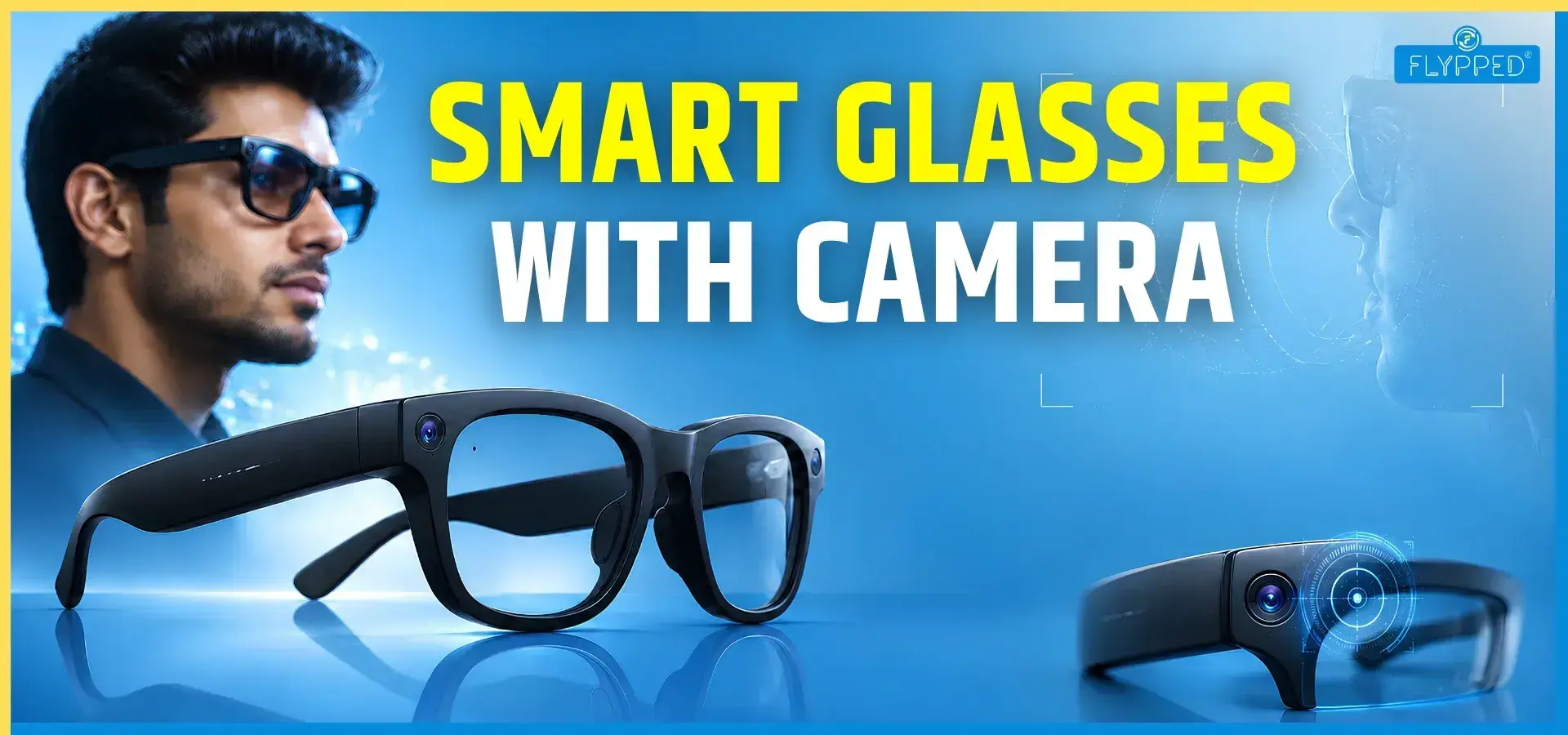
Their appearance may resemble normal spectacles, but they have additional uses. Based on the model, they come with a built-in camera, touch controls, microphones, and AI-powered features.
Some models benefit users by providing navigation or displaying digital information in front of their eyes.
NOTE: Stay informed with AI news, gadget reviews, tech trends, smartphone launches, and latest updates.
If you are unaware of their uses, today you will learn about their key features, benefits, pricing, AI capabilities, battery life, display technologies, and what to check before buying.
What are Smart Glasses with a Camera?
Smart glasses are wearable devices that feature a built-in camera and a smart display.
This combination enables users to enjoy augmented reality experiences while performing daily tasks.
Key attributes include high-resolution cameras for capturing photos and videos, displays for notifications and navigation, and seamless connectivity to smartphones and other gadgets.
The journey of smart glasses began in the early 2010s and has rapidly evolved, with technological advancements making them increasingly accessible and versatile.
Popular Brands and Models of Smart Glasses with Camera
The smart glasses market is filled with various brands and models catering to different needs and preferences.
- Meta's Ray-Ban Smart Glasses: Stylish design paired with practical features.
- Viture Beast Glasses: Designed for gamers and augmented reality enthusiasts.
- Oakley Meta Vanguard: Tailored for sports and outdoor activities.
Here’s a quick comparison of some popular models:
| BRAND | CAMERA QUALITY | PRICE | BATTERY LIFE | FEATURES |
| Meta Ra-Ban | 1080p | $299 | 6 hours | Voice control, music |
| Viture Beast | 4K | $549 | 8 hours | AR display, gaming |
| Oakley Meta Vanguard | 720p | $489 | 5 hours | Sports tracking |
Evolution of Smart Glasses: From Wearables to AI Devices
Smart glasses have evolved significantly as technology and fashion have merged. Initially developed as assistive devices in the 1980s, they have gained advanced features while maintaining a focus on comfort, usability, and design.
1980s–1990s: Early Wearable Vision
In 1986, researchers developed smart glasses based on the “synesthesia concept” to help people with visual or hearing impairments by converting sound into light and colour. These early devices demonstrated how eyewear could become a body-integrated technology. They also established an important principle: wearables should address real human needs.
2012–2014: Google Glass Era
Google Glass, launched in 2012, brought smart eyewear into the mainstream. Its lightweight frame offered video recording, notifications, and voice commands. However, privacy, comfort, and appearance concerns limited consumer adoption. By 2015, Google shifted its focus toward business applications.
2013–2020: Mixed Reality and Everyday Use
Companies such as Canon, Microsoft, Technical Illusions, and Atheer Labs explored mixed reality, gesture controls, and spatial computing. Microsoft HoloLens demonstrated applications in engineering and design. Later products such as Intel Vaunt, Epson Moverio, Amazon Echo Frames, and Bose Frames focused on simpler displays and audio, making wearables more practical.
2021–Present: Lifestyle and AI
Ray-Ban Meta helped popularise camera-equipped smart glasses by combining familiar styling with cameras, speakers, and microphones. Other brands expanded smart eyewear into sports, healthcare, and creative fields. AI-powered glasses now represent the next major trend.
Overall, successful smart glasses balance technology, design, comfort, and practicality, using lightweight materials, discreet hardware, rapid prototyping, and flexible manufacturing.
Top Smart Glasses Features You Should Know
1. Built-in HD Camera
A built-in camera is one of the main features of camera smart glasses. It can allow users to take photos or record videos from their point of view.
This can be useful when users want to capture a moment without holding a phone. However, camera quality can vary between models, so buyers should check the camera specifications before purchasing.
2. Voice Assistant Integration
Voice assistants allow users to interact with smart glasses using voice commands. Instead of touching a phone, users may be able to ask questions, control music, or perform other supported tasks.
AI-based voice features can make this interaction more useful and natural.
3. Bluetooth Connectivity
Bluetooth allows smart glasses to connect with compatible smartphones and other devices. This connection can support functions such as calls, music playback and other smart features.
Before buying, users should check smartphone compatibility and the supported Bluetooth features.
4. Touch Controls
Many smart glasses use touch controls or physical buttons. These controls can be used for functions such as playing music, answering calls or controlling certain device features.
Simple controls can make the glasses easier to use while walking, travelling or doing other activities.
5. Photo and Video Recording
Camera glasses can provide a hands-free way to record photos and videos. This can be helpful for travel, outdoor activities and content creation.
Users should also be aware of privacy. Recording other people without their knowledge may be inappropriate and may be restricted by local rules or venue policies.
6. Hands-Free Calling
Smart glasses with speakers and microphones can allow users to make or receive calls without holding a phone or wearing earbuds.
This can be convenient when the user is walking, working or carrying something.
7. Music Playback
Smart audio glasses can play music through built-in speakers. They can offer an alternative to traditional earbuds, especially for people who prefer not to put anything inside their ears.
8. Navigation Support
Some smart glasses can work with navigation features and connected smartphones. Depending on the device, users may receive directions through audio or a visual display.
9. Water Resistance
Some models offer water resistance, which can provide protection against situations such as light rain or sweat. Water resistance levels vary, so buyers should check the specific rating rather than assuming every smart glass model is waterproof.
10. Lightweight Design
Since smart glasses are worn on the face, weight and comfort are important. A lightweight design can make them more comfortable for longer use.
Understanding Smart Glasses Display: Types and Technologies
Not every smart glass has a display. The major display technologies include:
1. AR Display
Augmented reality displays can place digital information over the user's view of the real world.
2. HUD (Heads-Up Display)
A heads-up display can show information without requiring the user to look down at a separate screen.
3. Waveguide Display
Waveguide technology can guide light through the lens to create digital images in the user's field of view.
4. Micro OLED Display
Micro OLED displays use very small OLED screens to produce digital visuals in compatible smart glasses.
5. Display-less Smart Glasses
These glasses do not have a visual screen. Instead, they may focus on features such as cameras, speakers, microphones, Bluetooth and voice assistants.
The right type depends on what the user wants to do. Someone interested in audio and photography may not need a display, while someone interested in augmented reality may prefer display-based glasses.
How AI Smart Glasses are Changing Everyday Life
Artificial intelligence is becoming an important part of modern smart glasses. AI can improve voice interaction and help users access information through supported services.
Instead of manually typing a request on a smartphone, users may be able to use voice commands. AI can also make wearable technology feel more interactive.
However, AI capabilities are not the same across all devices. Some glasses may offer only basic voice assistant functions, while advanced models may provide more AI-powered features.
Smart Audio Glasses: More Than Just Music
Smart audio glasses are designed to combine normal-looking eyewear with audio features.
Open-Ear Speakers
Open-ear speakers allow sound to reach the user without completely blocking the ears. This can be useful for people who want to listen to music or other audio while remaining aware of their surroundings.
Calls Without Earbuds
With built-in microphones and speakers, smart glasses can support phone calls without requiring separate earbuds.
Voice Assistants
Voice assistants can make it easier to control supported features through spoken commands.
Fitness and Outdoor Use
Smart audio glasses can be useful during outdoor activities and fitness routines. Their hands-free design can be convenient for walking, cycling or other activities, depending on the model and its safety features.
Audio Quality
Audio quality is an important factor. Buyers should consider speaker performance, microphone quality and how clearly calls can be heard in different environments.
Why wearable Camera Glasses are Becoming Popular
AI is driving the popularity of smart glasses, enabling voice assistants to answer questions, translate languages, identify objects, and provide real-time information.
Display-less smart-glass shipments surged 167% in Q1 2026 to 2.25 million units, while 88% of shipments in late 2025 included AI features.
The AI smart-glasses market reached $2.47 billion in 2025. Meta, with Ray-Ban and Oakley, dominates the market, supported by advances in batteries, cameras, audio, and AI.
Benefits and Uses of Smart Glasses with Camera
Everyday Applications of Smart Glasses with Camera
Smart glasses with camera technology can significantly enhance daily life. They allow users to capture photos and videos hands-free, making it easy to document experiences without reaching for a smartphone.
They also come equipped with navigation features, providing real-time directions and augmented reality experiences that enrich your interaction with your surroundings.
Additionally, these devices can enhance social interactions, fostering more engaging communication through shared visuals and experiences.
Pros and Cons of Smart Glasses with Camera
Like any technology, smart glasses come with their own set of advantages and disadvantages.
Pros:
- Convenience: Effortlessly capture moments without needing extra devices.
- Versatility: Suitable for various applications, from navigation to social media.
- Hands-Free Operation: Keep your hands free while multitasking.
Cons:
- Privacy Concerns: Risk of unauthorised recording of others.
- Battery Life Limitations: Most models have a limited usage time.
- Social Etiquette Issues: Recording capabilities may make others uncomfortable.
Smart Glasses Battery Life: What to Expect?
Battery life is an important consideration because smart glasses contain several electronic components.
1. Average Battery Backup
Battery backup depends on the model and how it is used. Frequent camera recording, calls, music and AI functions can consume more power than light use.
2. Factors Affecting Battery Life
Camera use, Bluetooth connectivity, audio playback, voice assistants and displays can affect battery performance.
3. Tips to Improve Battery Performance
Users can improve battery performance by reducing unnecessary use of high-power features, keeping software updated and charging the glasses properly.
4. Fast Charging Support
Some models may support faster charging. Buyers should check the manufacturer's specifications to understand charging time and battery capacity.
5. Smart Glasses Price
The price of smart glasses can vary widely depending on their features. Basic audio-focused models may be more affordable, while glasses with advanced cameras, AI functions or displays can cost more.
Price should not be the only factor. Buyers should compare camera quality, battery life, comfort, connectivity, software support and available features before making a decision.
Best Smart Glasses with Camera in 2026
There is no single smart glass that is perfect for everyone. The best choice depends on the user's needs.
People interested in photography and content creation should focus on camera quality, storage, or smartphone integration.
Music lovers may prefer models with better open-ear speakers. Users interested in augmented reality should look for suitable display technology.
Before choosing a model in 2026, buyers should compare the latest specifications, compatibility, software support, battery performance and price.
Below are some of the top 5 options to consider
| Ray-Ban Meta Smart Glasses Gen 2 | ₹39,900–₹45,700 | 12MP, up to 3K video |
| Oakley Meta HSTN Glasses | ₹41,800–₹47,600 | 12MP, up to 3K video |
| Meta Glasses | ₹27,000–₹28,000 approx. | Camera + AI/audio |
| OhO Sunshine 1080P camera glasses | ₹8,199–₹8,999 | 1080P |
| Ray-Ban Meta Smart Glasses (Gen 1) | ₹22,425–₹29,900 | 12MP, video recording |
Things to Consider Before Buying Smart Glasses with Camera
Before buying smart glasses, consider these important points:
- Camera Quality: Check photo and video capabilities.
- Battery Life: Make sure it suits your daily usage.
- Comfort: The glasses should be comfortable for extended wear.
- Connectivity: Check smartphone and Bluetooth compatibility.
- Audio Quality: Look at speaker and microphone performance.
- AI features: Check which AI and voice functions are actually supported.
- Display: Decide whether you need a display or prefer display-less glasses.
- Water resistance: Check the exact rating if you plan to use them outdoors.
- Privacy: Understand how recording works and use the camera responsibly.
- Price: Compare the features with the overall cost.
Smart Glasses vs Traditional Glasses
Smart glasses offer a new way to experience the world by integrating digital information into your vision.
They can provide navigation, meeting notes, and hands-free connectivity.
Traditional glasses, however, are simpler, more durable, require no charging, and offer options such as bifocal, reading, and blue-light lenses.
Smart glasses suit tech enthusiasts, busy professionals, and connected lifestyles, while traditional glasses are ideal for those who value simplicity and reliability.
The right choice ultimately depends on your lifestyle, preferences, and daily needs.
Privacy Concerns Surrounding Smart Glasses with Camera
Navigating Privacy Issues with Smart Glasses with Camera
As smart glasses gain popularity, privacy risks for both wearers and bystanders are becoming more significant.
Concerns include the potential for unauthorised recording and data collection, raising critical ethical and legal questions.
Regulations vary by region, so it’s essential to stay informed about local laws regarding wearable cameras.
"Technology is best when it brings people together." — Matt Mullenweg
How to Use Smart Glasses with Camera Responsibly
Using smart glasses responsibly is crucial for maintaining trust and safety. Here are some tips for ethical usage:
- Always inform people if you’re recording.
- Use the camera discreetly and avoid sensitive situations.
- Respect personal space and others' privacy while wearing smart glasses.
Conclusion
Smart glasses with camera technology open up exciting possibilities for enhancing daily life.
They allow users to capture moments and access information in ways previously unimaginable.
However, as we embrace these devices, it's vital to remain mindful of privacy implications and use them responsibly.
The future of smart glasses looks promising, but it requires a careful balance between innovation and ethical considerations.
Read More:
- Types of Cloud Computing
- Best Gaming Phone Under 30000
- Impact of Social Media on Students
- Prediction Using Machine Learning
- What is a Privacy Password?
- Top 5 AI Writing Tools
- "Electric Car vs Petrol Car" Comparison for Smart Buyers
- AMOLED vs OLED Phones
- Productivity Tools for Freelancers to Improve Efficiency
Frequently Asked Questions
Find answers to common questions about this topic
Camera glasses are generally legal to own and use, but privacy laws apply. Recording people without their knowledge may be restricted in certain places or situations. Always check local laws, especially regarding audio recording, private property, workplaces, schools, and public spaces where privacy expectations may exist.
Smart glasses can be worth buying if you want hands-free photos, videos, calls, navigation, music, or AI features. They are particularly useful for creators and everyday convenience. However, battery life, privacy concerns, price, and limited features compared with smartphones may make them less valuable for some users.
Recording time varies by model, storage, battery capacity, and recording resolution. Many camera-equipped smart glasses can record short clips, typically ranging from 30 seconds to several minutes. Continuous recording may be limited by battery life, overheating, storage, or built-in recording restrictions.
Common disadvantages include limited battery life, relatively high prices, privacy concerns, recording restrictions, dependence on smartphones or apps, and limited storage. Some models may also feel uncomfortable during extended use. Camera glasses can attract attention, and their features may become outdated as technology advances.
The best smart glasses depend on your needs. Ray-Ban Meta smart glasses are among the popular choices for photography, video, calls, audio, and AI features. Other models may be better for AR, navigation, or professional applications. Compare camera quality, battery life, comfort, compatibility, and features before buying.
Smart glasses may be prohibited in places where cameras or recording devices are restricted, including some schools, examination centres, courts, secure workplaces, private facilities, and certain entertainment venues. Rules vary by location. Always follow posted policies and local regulations, particularly where privacy, security, or confidential information is involved.